
Written by: Kai Eldridge, Music Discovery Editor, OnesToWatch | Last updated: July 31, 2026
Key Takeaways
- Soundcharts gives A&R teams a repeatable seven-step weekly pipeline to spot unsigned artists weeks before mainstream charts react.
- The workflow combines blocklists, growth-rate filters, playlist velocity tracking, geographic signals, automated alerts, and API integration to surface validated breakout candidates efficiently.
- Cross-platform consistency and live-performance data act as critical validation checkpoints that prevent single-signal advancement and reduce false positives.
- Validated artists move directly into discovery platforms, where editorial coverage turns data signals into industry recognition and career milestones.
- Professionals looking to amplify emerging talent should route Soundcharts-validated artists to OnesToWatch for editorial consideration and placement in curated playlists, features, and annual selections.
High-Level Overview: Four Phases of the Soundcharts Discovery Pipeline
The seven steps below map to four sequential phases, and each step heading notes its phase so you can track progress.
- Preparation (Steps 1–2): Clean the data environment and establish momentum baselines.
- Execution (Steps 3–4): Apply playlist velocity and geographic filters to surface genuine breakout signals.
- Validation (Steps 5–6): Configure automated alerts and build an API dashboard to confirm signals before human review.
- Follow-up (Step 7): Export validated artists into your discovery platform and route them toward editorial coverage.
Step 1 [Preparation]: Set Up Blocklists to Exclude Signed Artists
Action: In Soundcharts Artist Rankings, open the Distributors filter and apply the Exclude operator. Soundcharts added an Include/Exclude operator for the Distributors filter, which lets you exclude major distributors alongside major labels in a single filter pass.
Required inputs:
- A list of major label distributors to exclude (for example, Universal Music Group, Sony Music Entertainment, Warner Music Group, and their distribution arms)
- Genre tags relevant to your current signing brief
- Career-stage ceiling: a monthly listener cap that matches your definition of “unsigned” (a common threshold is under 150,000 monthly listeners)
Expected output: A filtered artist ranking view that shows only self-released or independently distributed artists within your target genre and listener range.
Decision point: Revisit and update this blocklist every four weeks. Stale blocklists are a common workflow failure, because artists who sign mid-quarter keep appearing in results until their distributor tag updates in the platform.
Step 2 [Preparation]: Apply Fastest-Growth Artist Rankings and Momentum Triggers
Action: Sort the filtered artist ranking view by growth rate rather than absolute listener count. Soundcharts adds a streams column to Song Charts rankings so you can monitor exact streaming volume by country. Use this column alongside the playlist metrics view in artist ranking views.
Required inputs:
- Growth rate filter: set a minimum of 20–30% month-over-month listener growth as a baseline trigger. A 30%+ month-over-month streaming growth rate is treated as a concrete modern growth signal by data-driven A&R teams.
- Streams column: active and sorted descending
- Playlist preset: activate the new Playlists preset in Custom Columns to surface Spotify playlist reach, Spotify editorial playlist reach, and Apple Music playlist count at the same time
Decision point: An artist with 50,000 monthly listeners growing 30% month-over-month is more actionable than an artist with 500,000 monthly listeners who has been flat for six months. Rapid growth indicates fresh momentum and a widening audience, while flat numbers suggest a plateau. Prioritize rate of change over absolute size at this stage.
Step 3 [Execution]: Track Playlist Velocity and Similar-Artist Expansion
Action: For each artist passing the Step 2 momentum threshold, open their Artist Profile and review playlist source distribution. A healthy breakout candidate shows a mix of editorial, algorithmic, and user-generated placements. Heavy dependence on a single editorial playlist is a risk factor that should trigger a hold rather than an advance.
Required inputs:
- Playlist source breakdown: editorial vs. algorithmic vs. user-generated share
- Week-over-week playlist add velocity: flag any artist showing a 20%+ increase in new playlist adds in the current week
- Similar Artists API: pull the top five similar artists for each candidate and check whether any are already signed. A cluster of signed similar artists indicates the genre is maturing and the window may be narrowing.
Decision point: Cross-platform consistency signals authentic audience building because coordinated growth across platforms indicates broadening interest beyond a single source. If playlist velocity is high but social and Shazam signals are flat, hold the candidate for one additional week before advancing.
Step 4 [Execution]: Add Geographic Breakout Filters and Festival/Venue Rankings
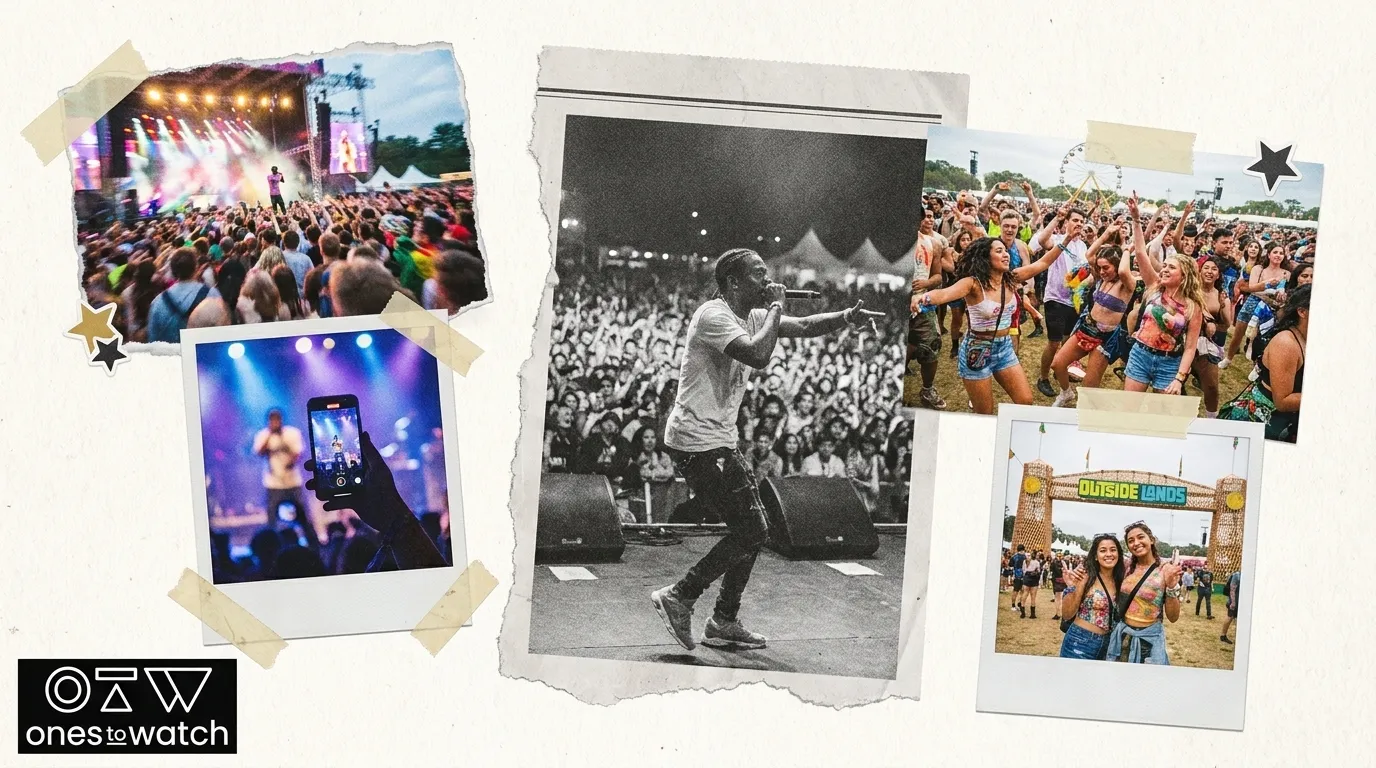
Action: Apply geographic filters to find artists with concentrated traction in a specific city or country that has not yet spread to secondary markets. This pattern often signals an organic breakout. Cross-reference candidates against the Festivals Ranking and Venues Ranking features, which score venues and festivals using the Soundcharts Score of the top 100 artists who have played there.
Required inputs:
- Geographic filter: surface artists with 500–2,000 listeners in a single city growing 30%+ month-over-month
- Festival/Venue Rankings filters: location, genre, and capacity, which help you see which emerging-artist-friendly venues and festivals are currently booking artists at a similar Soundcharts Score to your candidates
- Asian market expansion: Soundcharts added AWA (Japan) and KuGou (China) charts, and Soundcharts added 16 new daily KuGou charts. Apply these for candidates showing Asian market traction.
Decision point: Shazam activity in a specific city predicts roughly 50% of subsequent Spotify chart entries. Geographic Shazam spikes should therefore act as a high-priority trigger for advancing a candidate to the alert configuration stage.

Step 5 [Validation]: Configure Custom Alerts for New Breakout Signals
Action: For every artist who passes Steps 2–4, configure threshold-based alerts inside Soundcharts so you can track ongoing momentum without manual daily checks.
Recommended alert thresholds:
- Playlist adds: alert when week-over-week playlist adds increase by 30% or more
- Shazam: alert when Shazam activity in any single city increases by 50%+ in a 7-day window
- Social growth: alert when Instagram or TikTok follower growth exceeds 20% in a 14-day window. Soundcharts includes Instagram Reels metrics in song insights.
- Audience dashboard: set a composite alert when multiple audience metrics show simultaneous positive movement.
Decision point: Treat the first two weeks after deploying alerts as a calibration period, reviewing each notification against whether it required action before you lock thresholds. Route urgent alerts such as same-day Shazam spikes to Slack. Route weekly digest summaries to email.
Step 6 [Validation]: Build an API Dashboard and Connect to Airtable/Make.com
Action: Use the Soundcharts API v2.x endpoints to pull artist data programmatically and send it into an Airtable base via Make.com for centralized pipeline management.
Step-by-step integration:
- Authenticate against the Soundcharts API using your Pro account API key and confirm access to the artist search, artist audience, and song trends endpoints.
- In Make.com, create a new scenario with an HTTP module pointed at the Soundcharts artist rankings endpoint. Set the schedule to run every Monday morning so it aligns with your weekly review.
- Add a JSON parse module to extract artist ID, name, monthly listener count, growth rate, playlist add count, and top geographic market from each API response. These fields form the minimum data set you need to judge an artist’s momentum at a glance.
- Add an Airtable module set to “Create Record” and map each parsed field to a matching column in your Artist Discovery base: Name, Soundcharts ID, Monthly Listeners, MoM Growth %, Playlist Adds (7-day), Top Market, and Status (default: “New”). This mapping creates a structured record for every candidate that you can filter and sort in later stages.
- Airtable Automations support an incoming webhook trigger that lets external tools push data into Airtable bases on all plans. Configure a webhook in Airtable to receive Make.com payloads and trigger a status-update automation when a record’s MoM Growth % field exceeds your threshold.
- Add a filter step in Make.com to exclude any artist whose distributor tag matches your Step 1 blocklist. This filter keeps signed artists from re-entering the pipeline through the API route.
Decision point: The Run a Script action in Airtable Automations allows server-side JavaScript to call external APIs and write results back to Airtable records without CORS workarounds. Use this option for enrichment calls, such as pulling Shazam city data, that Make.com cannot handle natively.
Step 7 [Follow-up]: Export Validated Artists into Your Discovery Platform
Action: After an artist passes all six preceding filters and their Airtable record status changes to “Validated,” export the shortlist for editorial hand-off.
- In Airtable, create a filtered view that shows only records with Status = “Validated” and MoM Growth % above threshold.
- Export this view as a CSV or use the Airtable API to send records directly to your discovery platform’s intake form or CRM.
- For each exported artist, attach the Soundcharts profile URL, top geographic market, playlist source breakdown, and the specific alert that triggered advancement. This context speeds up editorial review.
- Export your shortlist directly to OnesToWatch, where the coverage pipeline spanning curated playlists, artist features, and annual selections turns data-backed momentum into visible industry recognition.
Check out OnesToWatch’s Top 30 Artists To Watch in 2026 to see how multi-signal discovery translates into real editorial support.
Common Mistakes to Avoid
- Overly broad filters: Removing genre and career-stage constraints produces a list too large for weekly human review. A&R tools reduce ~100,000 new Spotify tracks daily to approximately 50 artists per week for human review. Your filters should reach a similar ratio by combining the growth-rate threshold from Step 2 with the genre and career-stage constraints from Step 1.
- Ignoring live-performance data: Live performance data including venue capacity progression over 12–18 months, ticket sale velocity, and geographic concentration of shows are indicators of sustainable fan demand. Cross-reference Soundcharts’ Festivals and Venues Rankings against your shortlist before you finalize exports.
- Stale blocklists: A blocklist that has not been updated in 60+ days will allow recently signed artists to pass through the unsigned filter. Schedule a blocklist audit as a standing calendar item on the first Monday of each month.
- Single-signal advancement: TikTok virality is treated as a signal to investigate further rather than an immediate signing trigger. No artist should advance past Step 4 on the basis of one platform’s data alone, whether that signal comes from a playlist, a social spike, or a single viral moment.
Evaluation Checklist: Weekly New-Artist Count, Playlist-Add Velocity, Live-Show Announcements
To keep your pipeline healthy and avoid the mistakes above, run this checklist at the end of each weekly cycle.
- Weekly new-artist count: Target 10–20 new candidates entering the Airtable base per week. Fewer than 5 suggests filters are too restrictive, while more than 40 suggests blocklists need tightening.
- Playlist-add velocity: At least 60% of candidates advancing past Step 3 should show week-over-week playlist add growth. A lower rate indicates the playlist velocity filter threshold needs recalibration.
- Live-show announcements: Check each validated artist for 2026 tour or show announcements. Geographic opportunity alerts for cities with 2,000+ listeners growing 15%+ month-over-month indicate tour-ready markets. Artists with confirmed 2026 dates in those markets should sit higher on your export list.
- Alert calibration rate: Track what percentage of automated alerts from Step 5 required a human action. A rate below 20% signals threshold misconfiguration.
Workflow Variations: Weekly Quick Scans and Monthly Deep-Dive Reviews
The full 7-step pipeline fits a weekly 60–90 minute commitment. Two lighter variations support different operational rhythms.
15-minute Monday scan: Run Steps 1–2 only, using saved filter presets. Review the top 10 fastest-growing artists by growth rate and flag any showing a Soundcharts Score increase of 5+ points since the prior week. Set flagged artists to a “Watch” status in Airtable for full pipeline processing the following week.
Monthly deep-dive: Run all seven steps with expanded parameters. Extend the geographic filter to cover three or more simultaneous country breakouts, pull 90-day playlist velocity trends instead of 7-day, and cross-reference the Festivals and Venues Rankings for live-scene context. Data identifies signals, but A&R reps still apply human instinct by attending live shows and reviewing unreleased material before signing. The monthly deep-dive is the right moment to schedule those in-person evaluations.

Next-Stage Topics: Integrating OnesToWatch Editorial Coverage
Exporting a validated artist shortlist closes the data pipeline and opens the career pipeline. OnesToWatch provides the downstream editorial infrastructure that converts a Soundcharts data signal into public industry validation. The platform’s coverage pipeline moves artists from curated playlist inclusion through featured editorial pieces to annual selections, a progression that has preceded mainstream breakthroughs for artists including Billie Eilish, Chappell Roan, Olivia Rodrigo, and Doechii.

For A&R teams, sending a Soundcharts-validated artist to OnesToWatch serves a dual function. It creates a public record of the artist’s momentum at a specific point in time, and it exposes the artist to a dedicated audience of music fans and industry professionals who actively seek pre-mainstream discovery.
Check out OnesToWatch’s Top 30 Artists To Watch in 2026 to see which emerging artists have already cleared the editorial bar this year.
Frequently Asked Questions
What are the timing and prerequisites for running this pipeline effectively?
The pipeline requires an active Soundcharts Pro account with API access enabled. The full 7-step workflow is designed to run weekly, with Monday morning as the recommended start time to match the weekly chart refresh cycle. Before the first run, users should complete the blocklist setup in Step 1 and build the Airtable base structure described in Step 6. Both are one-time setup tasks that take about 2–3 hours. Later weekly runs take 60–90 minutes for the full pipeline or 15 minutes for the abbreviated Monday scan. The Make.com integration in Step 6 automates data ingestion after initial configuration and reduces the weekly time commitment once the scenario is live and calibrated.
What are the main limitations of Soundcharts data in this workflow?
Soundcharts data availability varies by platform and region. The streams column depends on platform data availability, so some country-level streaming figures may be incomplete for smaller markets. The Festivals and Venues Rankings feature is available as a production feature in the Soundcharts API as of mid-2026, and scoring is based on the top 100 artists who have played a given venue. Very new or boutique venues with limited artist history may therefore produce lower-confidence scores. The Similar Artists API reflects historical listening patterns and may lag behind genre shifts by several weeks. Soundcharts also does not provide direct access to Spotify save rate or completion rate data, which remain available only through Spotify for Artists. Teams should check those signals manually for any artist advancing past Step 4.
How does OnesToWatch validate artists exported from this pipeline?
OnesToWatch uses a human editorial review process rather than an algorithmic gate. The editorial team evaluates submitted artists against criteria such as authentic artistic identity, live performance potential, and the quality and consistency of their recorded output. These factors complement but extend beyond the quantitative signals surfaced by Soundcharts. Artists who pass editorial review enter OnesToWatch’s coverage pipeline, which begins with inclusion in curated playlists and can progress to full artist features and inclusion in the annual Top 30 Artists To Watch selection. This human layer complements the data pipeline by filtering for artistic substance and long-term career potential that streaming metrics alone cannot measure. OnesToWatch covers approximately 300 artists per year through features, with a small fraction advancing to the annual selection, which makes editorial placement a meaningful industry signal on its own.
How should A&R teams handle artists who pass the data pipeline but lack a strong live presence?
Live performance data functions as a required checkpoint in this workflow, not an optional enrichment. An artist who passes all streaming and playlist filters but has no 2026 show history and no venue capacity progression over the prior 12 months should remain at “Watch” status rather than move to export. The Soundcharts Festivals and Venues Rankings feature provides context for which venues artists at a similar Soundcharts Score are currently booking. If a candidate is not appearing in comparable venue ecosystems, that absence is a meaningful signal. A&R teams should set a 60-day monitoring window for held candidates and re-evaluate if live activity emerges. OnesToWatch’s editorial focus on live performance potential makes this checkpoint especially relevant for teams using the platform as a downstream validation destination.